
Residential Services
Laptop Repair Services
Cracked screen, dead keys, won’t charge or won’t start? I find out whether it needs a part or a software fix, and tell you the cost before any work starts.
- Software fixes: $130 labor. New parts: $165 labor plus the part.
- A $75 diagnostic deposit counts toward the repair.
What I do
Some fixes are software work. Others need a new part, like a screen or keyboard. I tell you which price applies before I start. MacBooks are covered on the Apple Repair Services page.
Common problems I fix
- A cracked, dim or flickering screen
- Keys or a touchpad that stopped working
- A laptop that is slow, freezes or won’t start
- A laptop that won’t charge or shuts off (I find the cause first)
- Needing more memory or a faster drive
I can find the part for you, or we can talk about using one you bought. I confirm the part and the price before I order anything.
A laptop screen replacement
One of my repairs: the same Dell laptop before and after I replaced its screen.
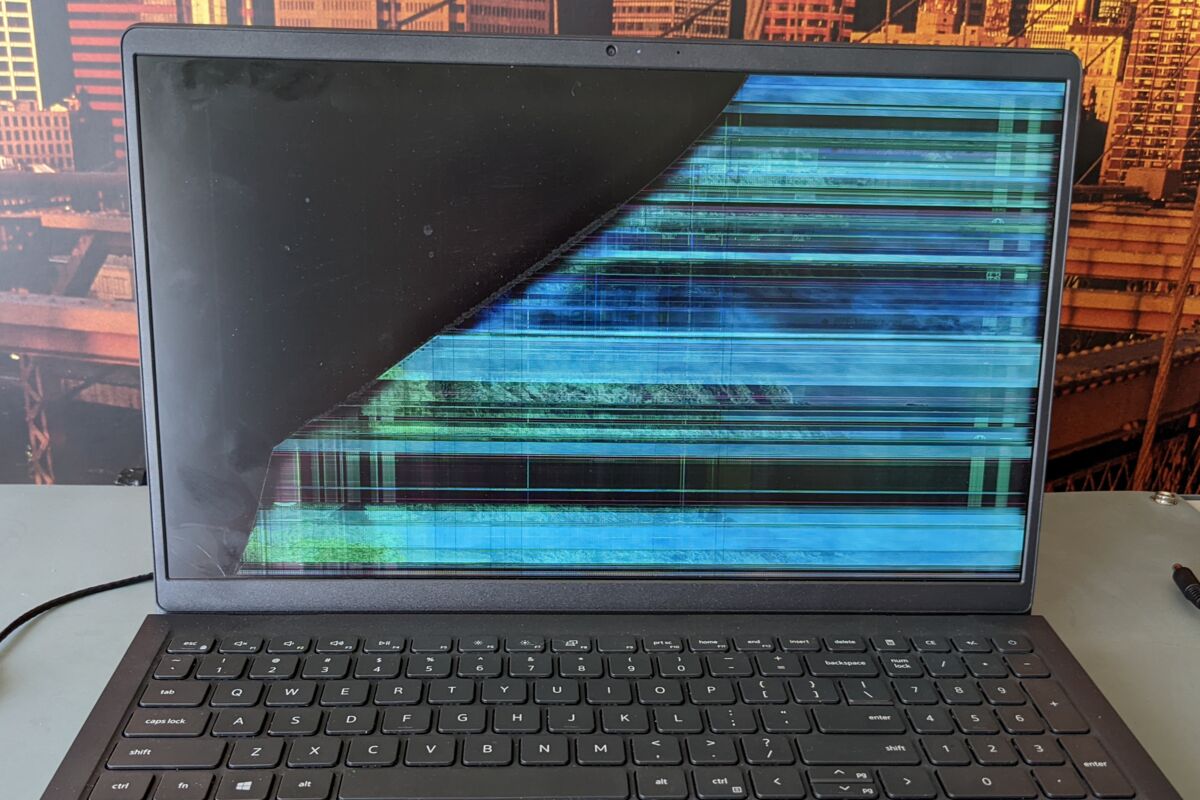
Before Stripes of color, and half the screen was black. 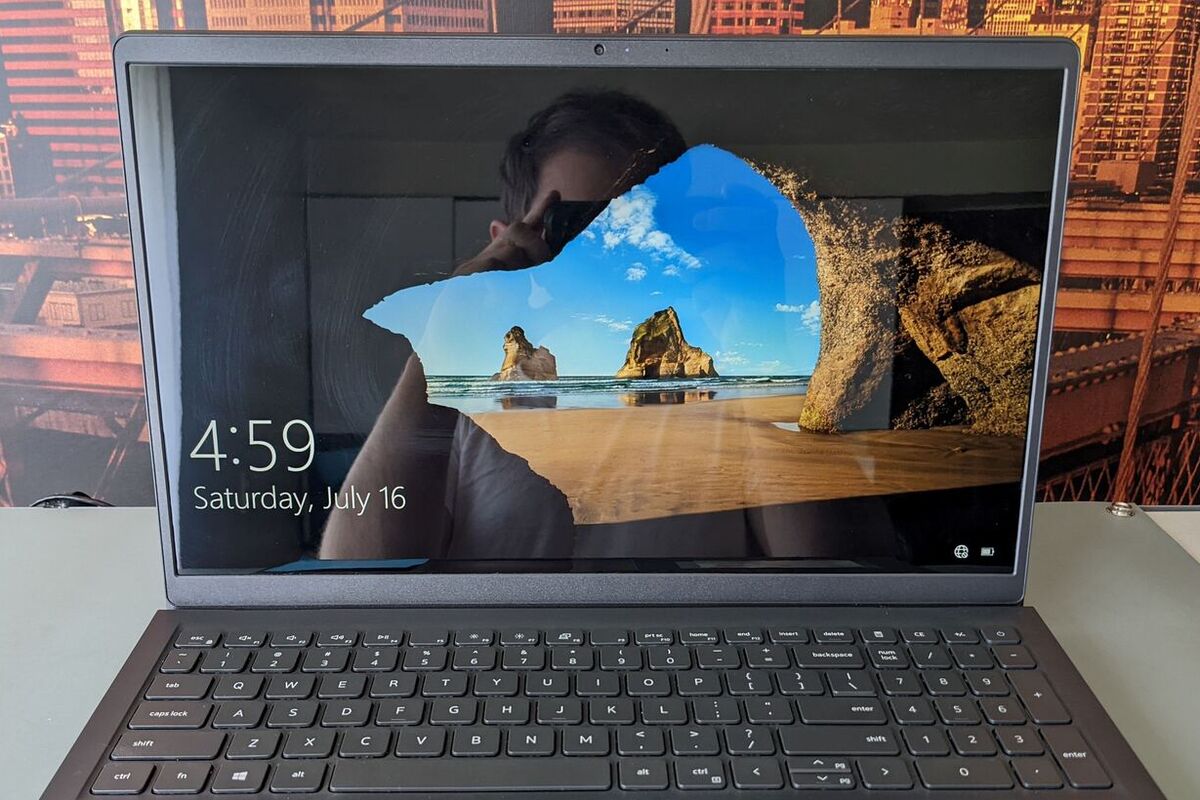
After The new screen installed and working.
Pricing
You’ll know the cost before I start.
-
Software & upgrades
$130 labor
Software fixes and simple upgrades: more memory (RAM) or a faster drive (SSD). Parts are extra.
-
Hardware repairs
$165 labor + parts
Replacing broken parts, such as screens and keyboards.
The $75 diagnostic deposit covers checking your computer and counts toward an approved repair.
If you decline the repair, the deposit is not refunded. Deposit terms
What your repair includes
- A diagnosis in plain words. I find the cause and explain it, so you can decide what to do.
- A repair plan and price you approve. Nothing chargeable is added without your OK. Final pricing can depend on what I find.
- A backup attempt. When the computer and its drive can still be read. Failing drives and unreadable files may need separately priced data recovery.
- Testing for the repair. I test the parts and software I worked on before you pick it up.
- Repair warranty. 30 days on software work for the same issue, or six months on the parts I replace or work on and the related workmanship. It covers my work, not the whole computer.
How it works
-
Tell me what’s wrong.
Send a request or call. I’ll confirm a drop-off time with you.
-
I check it and you approve the price.
You get my findings in plain words. Nothing is fixed until you say yes.
-
Pick up your tested computer.
I fix and test it, then we set a pickup time.
Common questions
How do I know if it’s software or hardware?
Often you can’t tell from the outside. That’s what the diagnostic is for. I check it, explain what I found, and you decide what to do.
Do I need to leave my laptop?
Yes. Laptop repairs are done at my Temple location, usually by scheduled drop-off. For software repairs and simple upgrades, pickup and delivery is a $30 add-on. Send a request and I’ll confirm a day and time.
Can every laptop be fixed?
Not always. Some parts are hard to find or cost more than the laptop is worth. If so, I’ll tell you plainly and go over your options.
Will I lose my files?
A backup is included with every desktop, laptop and Mac repair. When you drop off your computer, backing it up is my first step, if the computer and its drive are in good enough shape to read. Please also back up what you can before you bring it in, especially important files.
What if my laptop’s drive is failing?
If a drive is failing or files can’t be read, a backup may not be possible. Don’t keep turning a failing computer on to try. Turn it off and tell me. Getting files off a failing drive is data recovery, which is priced separately.
Not sure what’s wrong?
Tell me what’s happening. I’ll contact you about the next step. Drop-off and pickup by appointment.