
Residential Services
Computer Repair & Upgrades
Slow, freezing, full of errors, or won’t start? I find the cause, explain it plainly, and you approve the price before I fix it.
- Software repairs and simple upgrades: $130 labor, parts extra.
- A $75 diagnostic deposit counts toward the repair.
What I do
I fix software problems and do simple upgrades: more memory (RAM) or a faster drive (SSD). The new memory or drive is extra.
Common problems I fix
- A computer that is slow, freezes or restarts on its own
- Error messages or programs that won’t open
- Updates that keep failing
- Email, printer or sign-in trouble caused by the computer
- Running out of memory or storage space
Before an upgrade, I check that your computer can take it. Some computers can’t be upgraded.
Not sure what’s wrong? I test the hardware, such as the memory, to find the cause before suggesting a fix.
Memory test results
Two examples of MemTest86, a memory (RAM) test I use. They come from two different computers. They are not a before-and-after.
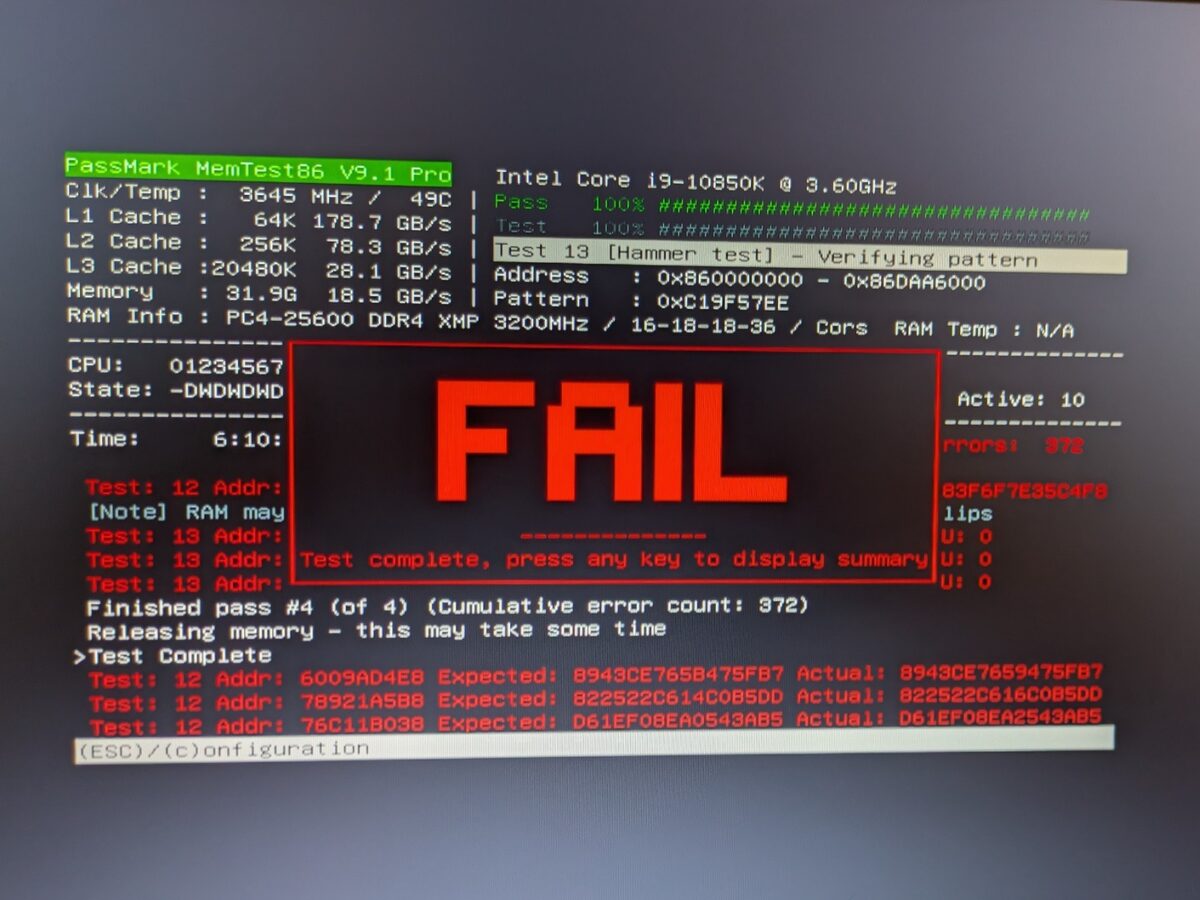
1 of 2 · Failed test This computer’s memory failed, with 372 errors after four passes. Errors like these point to a problem with the memory or its settings, so the next step is finding which part is at fault. 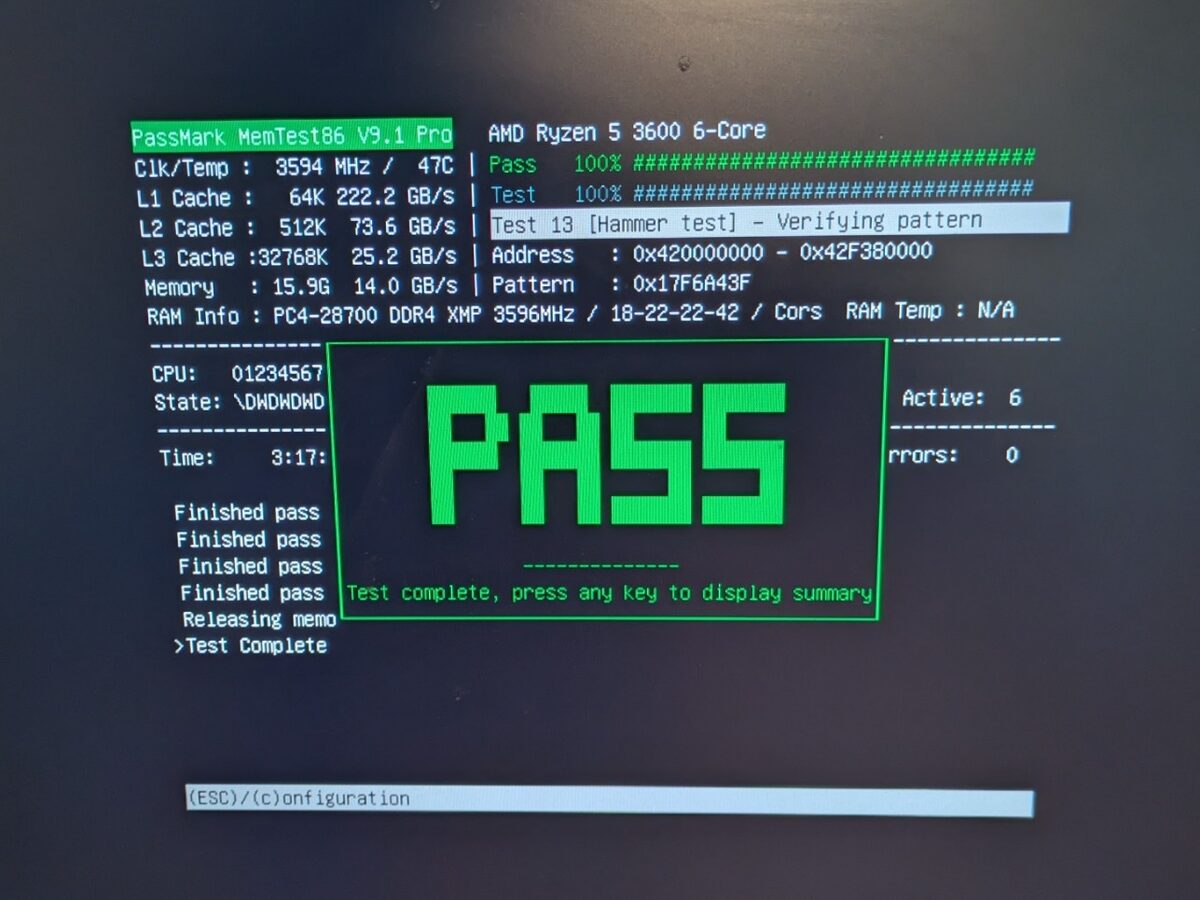
2 of 2 · Passed test A different computer passed: four full passes and 0 errors. A clean result like this rules out the memory, so I look elsewhere for the problem.
Photo 1 of 2
Pricing
You’ll know the cost before I start.
-
Software & upgrades
$130 labor
Software fixes and simple upgrades: more memory (RAM) or a faster drive (SSD). Parts are extra.
The $75 diagnostic deposit covers checking your computer and counts toward an approved repair.
If you decline the repair, the deposit is not refunded. Deposit terms
What your repair includes
- A diagnosis in plain words. I find the cause and explain it, so you can decide what to do.
- A repair plan and price you approve. Nothing chargeable is added without your OK. Final pricing can depend on what I find.
- A backup attempt. When the computer and its drive can still be read. Failing drives and unreadable files may need separately priced data recovery.
- Testing for the repair. I test the parts and software I worked on before you pick it up.
- Repair warranty. 30 days on software work for the same issue, or six months on the parts I replace or work on and the related workmanship. It covers my work, not the whole computer.
Worth knowing: while I check your computer, I may spot something that would help, like a faster drive (SSD), more memory or moving your files to a new computer. I only suggest it if it fits your computer and how you use it. It comes with its own quote, and you decide.
How it works
-
Tell me what’s wrong.
Send a request or call. I’ll confirm a drop-off time with you.
-
I check it and you approve the price.
You get my findings in plain words. Nothing is fixed until you say yes.
-
Pick up your tested computer.
I fix and test it, then we set a pickup time.
Common questions
Will a new drive make my computer faster?
For many older computers, a solid-state drive (SSD) makes a big difference. It depends on the computer, so I check first and tell you what to expect.
Will I keep my files?
A backup is included with every desktop, laptop and Mac repair. When you drop off your computer, backing it up is my first step, if the computer and its drive are in good enough shape to read. Please also back up what you can before you bring it in, especially important files. If a drive is failing or files can’t be read, a backup may not be possible. Don’t keep turning a failing computer on to try. Turn it off and tell me. Getting files off a failing drive is data recovery, which is priced separately. I ask before any work that could erase data.
Can I bring my own parts?
Yes, we can talk about it. The wrong part or a bad part can slow things down. Parts you buy are covered by the seller or maker.
Can you pick up my computer?
Yes, for software repairs and simple upgrades. Pickup and delivery is a $30 add-on in total. Most people drop off by appointment, and you’re welcome to do that instead.
Not sure what’s wrong?
Tell me what’s happening. I’ll contact you about the next step. Drop-off and pickup by appointment.